A Smart Portfolio manages Amazon ad campaigns for selected products in one marketplace. Use this guide to review the portfolio’s products, budget, and rules, and to see how its campaigns are performing.
Find a portfolio · Review settings · Check performance · Troubleshoot
Find a portfolio
- Open PPC in the left menu.
- Select Dashboard.
- Select Smart portfolios in the table.
- Find the portfolio. Open its three-dot menu in Actions and select Edit to review its settings. Leave without saving if you only want to inspect them.
Review settings
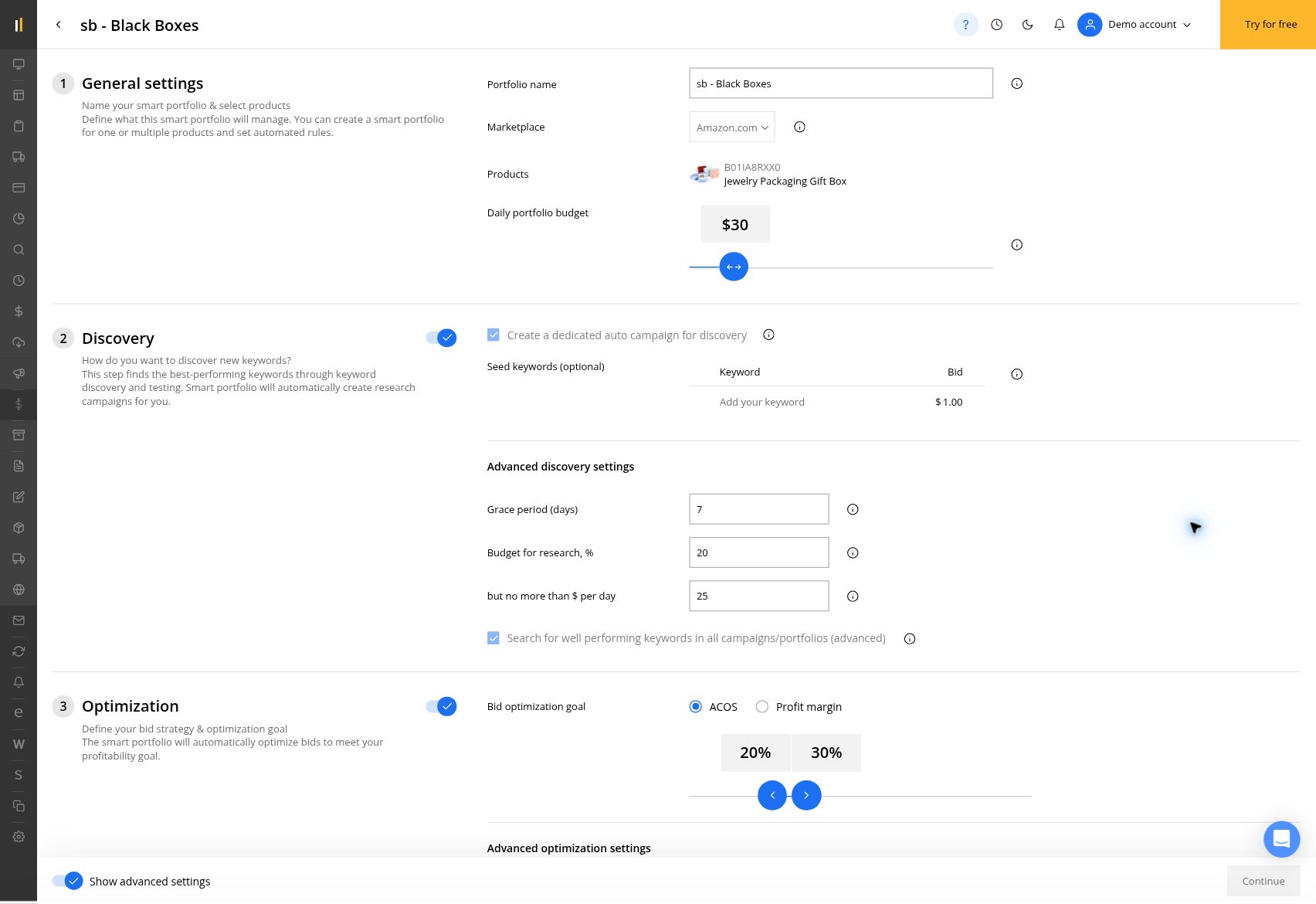
Products and budget: Verify the marketplace and products. The daily portfolio budget applies across its campaigns. It is an allocation, not the amount the campaigns actually spent.
Discovery: Review whether the portfolio uses an automatic research campaign or seed keywords. Under Show advanced settings, the research percentage and daily limit control how much budget is allocated to research.
Optimization: Check the Bid optimization goal and target range. ACOS compares advertising spend against ad-attributed sales. A profit margin goal uses estimated advertising profitability, which depends on the cost data you provide. The minimum and maximum bid limit individual bids, not the daily budget.
Scaling: Review how the portfolio allocates budget across campaigns. Scaling stays enabled while Discovery runs because research campaigns also need a budget.
Automation modes: In On, enabled rules can make live advertising changes. In Test, review each recommendation before accepting it. Accepting a campaign-creation recommendation can create a real Amazon campaign, even in Test. A target ACOS or profit margin is a goal, not a guarantee.
Check performance
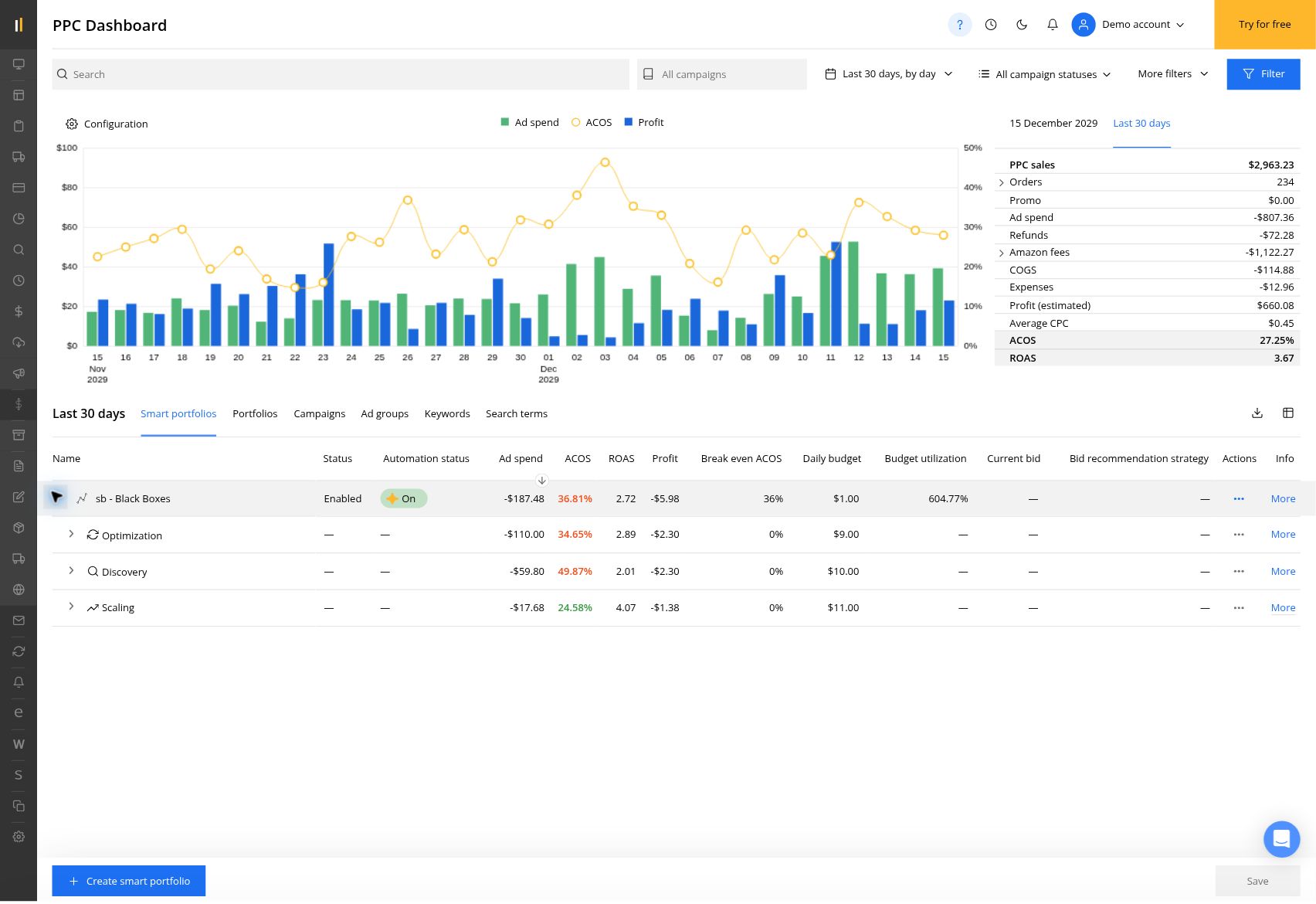
- Return to Smart portfolios in the PPC Dashboard.
- Expand the portfolio to see Discovery, Optimization, and Scaling rows where available. Expand a group to inspect its campaigns.
- Compare ad spend, ACOS, and estimated profit for the same marketplace and dates. Check actual spend separately from the planned daily budget.
Troubleshoot
Why is a campaign’s individual automation menu unavailable? If the campaign belongs to a Smart Portfolio, open the owning portfolio under Smart portfolios and use Edit there. Turning off the portfolio’s automation or pausing the campaign does not remove it from the portfolio.
Why is a campaign missing from the list of campaigns I can move? Check that it is a Sponsored Products campaign for the selected products and marketplace. Campaigns with their own bid automation in On or Test are not eligible for that picker. Review how the campaign is managed before transferring it.
Why do budget and spend differ? Compare the same time range, portfolio, and currency. The budget is a planned allocation; spend is what was reported for the selected time range.
See also: PPC Dashboard.